Adventures in TEEP: QR Codes

As a school, we’ve been TEEPed. We had two training days on it before Easter with another coming up in September, and the school is a’buzz with new teaching and learning ideas. It feels like a new school year!

I quite like the TEEP model because it doesn’t seem too different from my understanding of good practice. The bit that I really like though are parts 3, 4 and 5 of the lesson cycle: Present New Information, Construct Meaning and Apply the Knowledge. That is what I have been concentrating on this week.

I am also doing bits and pieces of work with iPods, as part of the Emerging Technologies project and in preparation for my workshop at the SHP conference this July. And so, in an effort to make part 3 of the TEEP cycle a bit more exciting for year 10, currently studying Medieval punishments, I have spent quite a lot of time on this website this week.

Image

QR codes are cool! I feel like they are those magic eye pictures from the 90s, which everybody could always see except me* – if I squint hard enough, will I be able to see the text? Well, no. But it’s a nice idea.The QR codes I generated for the lesson each contained a piece of text about Medieval punishment. I stuck them around the room and loaded some school iPods with QR code readers.

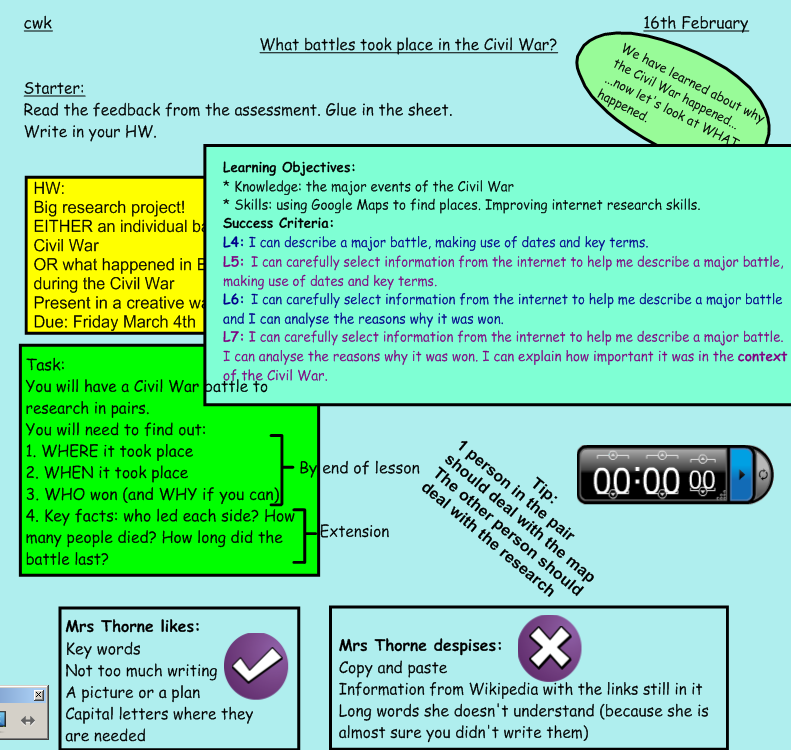
Here was my slide for the lesson (it was the second lesson of a double – not that I need to justify not having a starter up there or anything…)Image

Number one dealt with sharing new information. Number two allowed them to construct meaning (and add to their notes) – though in TEEP terms this bit of the task probably needs some work. Number three gave them a chance to apply by creating a Punishment Man – I had it in mind he’d look something like a Medieval Wound Man, and shared this idea with them as an example before we got started; though in reality none of their models looked anything like I had imagined, which was fine. I sacrificed some old ski socks, stuffing, carboard and masking tape to the task, which were enthusiastically and creatively used.

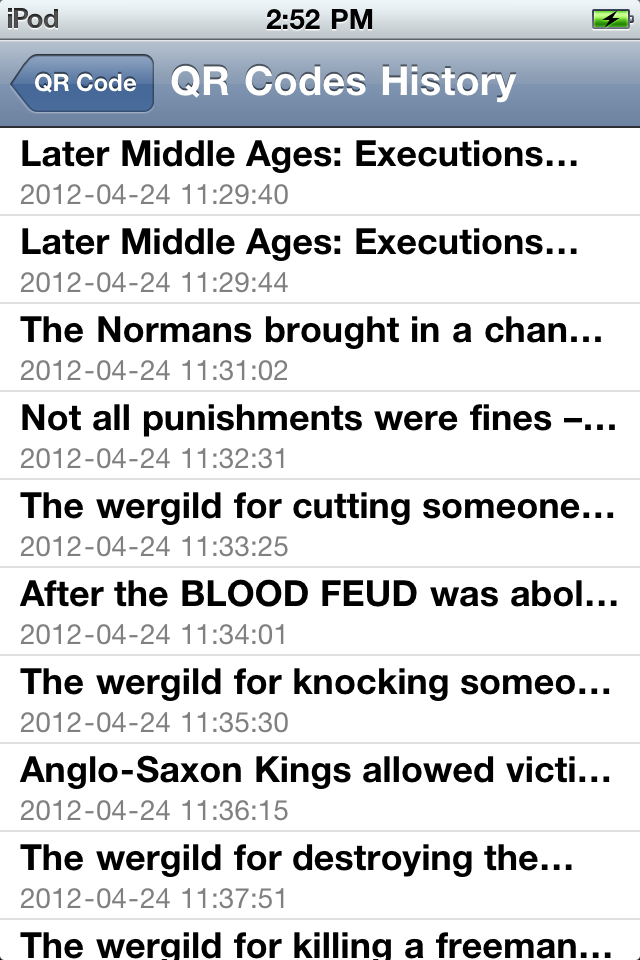
The task worked very well. When I was making the QR codes I wondered if it might be a bit dull – after all, they were still making notes from information points stuck around the room – but they really went for it and got the information together quite quickly. The best bit for me was discovering that the QR code reader on the iPods stores the information.
Image

The reader I have for my Android device does not, so this was useful to know. It means that when I do this for revision with exam groups, I can ask them to bring in their own iPods etc, with the app ready loaded, and they will then have the notes samlessly transferred onto their devices, ready for revision at home. No writing needed, and no wifi.

I repeated this with year 12 today to gather information about Fascist Intolerance to Diversity. Tomorrow I’m going to used it to revise Protest movements with year 11, and next week year 13 will have to scan QR codes containing chunks of an exam essay, which they will then have to reconstruct. It’s time consuming to make them, I suppose, but once made they are done for next year.

Medieval Punishment QR codes are available here. I will add the Protest ones when they are finished.


* My husband is scandalised that I can’t see them. For several weeks he made me stare at a one every night for five minutes before bedtime, in an attempt to train me. He was not successful, but I learnt a lot about how not to encourage pupils who really can’t do it.

Posted in History | Leave a comment

Reflection: Google Teachers Christmas Meetup

I was honoured when an email from Ross Mahon dropped on my virtual mat in November, if a little mystified by what “Google Teachers Christmas Meetup” might entail. I thought, to start with, I’d be too tired for it by the end of term, but then berated myself for my lack of ambition and booked my bus tickets before I could change my mind.

The day duly arrived, and I found myself in the other Google offices with quite a lot of familiar faces from GTAUK last year, and some new faces, and some faces I sort of recognised from Twitter. It was really lovely to catch up with people and find out what they’d been doing with the things we learned. It was also good to hear the news that the next Google Teacher Academy might be taking place in the UK: keep your eyes peeled for it.

Not having been sure what to expect, it would be wrong to say I was disappointed, but the thing didn’t have the buzz I had expected. We had a presentation about how Google are going to be working more closely with Vital, and some presentations from GCTs from last year about how they have implemented stuff in their schools – all very inspiring but almost all primary, unfortunately for me – and really, the whole thing felt very passive. I challenged myself to come away with five new ideas to blog about, but it wasn’t that sort of event.

Still, there were definitely some positives. Tom Barrett led a discussion at the half way point which focused on the place of digital literacy in learning; my learning points from this were:
1. It’s not realistic to train teachers once and expect that to last for their entire careers
2. If technology goes wrong, teachers are unlikely to ever try it again (knew this already – it’s the same as with anything new, like group work – but definitely worth repeating)
3. According to Oliver Quinlan, tech has revealed teachers can’t cope with kids who know more than them – another disappointing truism in the vein of number 2
4. Digital literacy should not be repackaged as e-safety

I think I owe a namecheck or two more there but I can’t recall who said what now, sorry.

I have more new techs in my remit at school this year and the discussion was really helpful for me in thinking through how I might go about training and encouraging staff. I think the major issue is fear of it all going wrong; it doesn’t feel like we have the time or opportunity to make mistakes, which is kind of ironic since nobody learned to ride a bike by never falling off one. In my opinion, students are largely digitally literate, so we can learn from them; in return, we can teach them effective and appropriate usage in the workplace. As long as we know what that looks like: checking Facebook surreptitiously on one’s iPhone while the class complete a task is not appropriate usage. Just sayin’.

Other useful things I want to explore following on from the presentations are Sketch Up and KinoMaps, and I also have a list of iPod apps to try out thanks to Nick Dennis and our discussion in the pre-meetup pub meetup. My class set of Kindles has moved on to its new school, but we have a class set of iPods in its place, so I will be working with those over the next few months. I also had quite a long discussion with Steve Bunce about why he wants to bring knitting into schools: very interesting.

Finally, we did get some mighty fine swag out of this: a Christmas gift from Google, if you will, in the form of a Chromebook. I was a bit open-mouthed when Ross said these were being given to all participants and didn’t quite believe him at first; but no, that Chromebook came home on the bus with me. Naturally all I’ve done with it so far is Tweetdeck, forums and blogging, but it was an amazing gesture and I will definitely be playing around with it and contributing to the Chromebook feedback group, when I find out where it is. It did make me giggle, to begin with, when the Blogger interface refused to load properly; but that has magically fixed itself since yesterday. I like to think it was me tweeting about it that prompted the fix.

Overall? Definitely worth going, even without the swag: it wasn’t the full-on smash-and-grab that GTAUK was, but it’s nice to keep my hand in and meet some people face to face. I enjoy the “big theme” discussions that take place on Twitter, though I read far more than I contribute, and it was educational to be part of one irl. Google seem really committed to education in the UK, especially with their new partnership with Vital, and it will be interesting to see how it develops.

Posted in CPD Notes | Tagged , | Leave a comment

New Challenges

Last year I made resolutions for the new school year and reviewed them at the end of it. This year’s resolutions look a bit different; I received such an avalanche of quality, inspirational insetin July that I had a list in my notebook that went on for a whole page of things I’d like to do this year. I don’t anticipate doing everything on it, but here it is:

  • Launching and maintaining Learning on the Loo
  • Creating a “Secret Space” in my classroom
  • A Facebook group for my GCSE class
  • Learning how to do a Moodle discussion group
  • Judging which is better out of the above two choices!
  • Online mobile phone voting
  • Green screening
  • Photo progress board – “Mapping our learning”
  • Less writing. Even less writing than last year: quality, not quantity
  • QR Codes
  • More group work
  • Edtech digest, possibly
  • Webcam visualiser for sourcework
  • Westbury Granny Cloud. What a great idea, though perhaps beyond my reach.

I can’t believe I wrote this list in July, started this post in October, and am only just publishing it now. I feel like I blinked and missed the last three months at school: it has been a complete whirl, not helped by the Alpine Ski Course Leader course that consumed my half term break, and the revision guide I am currently writing for a publisher.

However, I have made some inroads. Learning on the Loo is now a firm fixture in all staff loos, and I have decided to try and make it edtech themed, in response to a questionnaire I did with staff this term, which kind of gets round the Edtech digest bit of the list too. I have photographed and captioned tableaux of my year 10s for each section of their course so far, and created a “Mapping Our Learning” board. I have experimented a lot with group work, and though I would in future question the wisdom of doing group work with year 9 classes in only your second lesson with them, it is getting easier and it really works.

I also have a diary room now. OK, so it’s my cupboard with the shelves removed*, a deck chair and a piece of velcro to stick the ipod on to, but it works, and the kids are super excited about it. I am assembling a bunch of hats and props for students who don’t like talking to the camera as themselves.

So, not bad for a blink-and-I-missed-it term. Hopefully I can continue with my inroads as the year progresses.

* My tutor group called this cupboard Narnia, so full of stuff was it. It took me several hours of gained time and any number of trips to the skip to get it empty.

Posted in Reflections | Tagged | 2 Comments

10 ways to use Kindle in the classroom

I’m coming up to six months with the class set of Kindles and recently prepared this (slightly amateur!) video for TeachMeet Clevedon, which I was not able to attend in person.

I’m going to be allowed to keep them until Christmas and then we’re swapping with a school who has a dozen Kindles so I will still be able to use them with my sixth form classes, and one between two with the bigger, younger groups.

Posted in Emerging Techs, Kindle | Leave a comment

SHP 2011: Reflection

In January, when I was signed up for an SHP workshop, I remember thinking to myself, “You’d better actually do some more things now, or you’ll have nothing to say in July.” I’m so glad I took my own advice! It was a real honour for me to present at SHP this year and I was thrilled with the positive feedback I got on my sessions. Many thanks to all who attended and please get in touch if I can help any more with the mapping – and with links to your maps! It was also quite exciting to be name-checked by Jamie Byrom in his plenary on Sunday.

Aside from that, I managed to do an awful lot of learning for myself. The weekend was a complete knockout, unsurprisingly. There were a few recurrent themes:
1. Greater challenge is needed in the classroom
2. Pupils need to be better prepared for University
3. Teachers are working too hard in lesson time, and need to back off and let the pupils get there on their own.

If I were to write at length about all the ideas I had thanks to this weekend, we’d be here a long time. Instead, I’m going to make a list. In no particular order, here are the things that stuck with me from the weekend.

  • Writing History is like drinking an ocean and peeing a cupful
  • Teachers think written work is a means – a method of communicating. Students think it is an end.
  • Lessons need to be a combination of hook and rigour – pear drops AND porridge
  • The makers of Medal of Honour etc spend millions on researchers to ensure historically authentic scenarios
  • Sub levels in History have very little meaning and levels should not be given on a termly basis (this, from Michael Madison, HMI…his full report is available here)
  • Set texts for A-levels reduce the ability of sixth formers to access alternatives
  • History is the most popular GCSE option out there
  • 82% of students taking History at GCSE get a C in English GCSE, compared to 56% of those who didn’t (perhaps this is not the straightforward statistic it seems, though)
  • Share the students’ work more
  • Make revision kites with learning points on the body and evidence on the ribbons
  • Read Ron Berger’s Ethic of Excellent
  • Teach students to be incremental theorists – they should believe that there is no limit to their achievements
  • “The future belongs to those who prepare for it today” Malcolm X

I also attended a very enjoyable TeachMeet which gave me lots of new ideas, though those were all shared on Twitter. As usual, I tweeted A LOT. Here’s the archive of tweets from the weekend – even more ideas for you. The Twitter feed was so extensive that even those who didn’t attend the conference were able to benefit. The power of social networking!

To finish, then, here is a Wordle of the Tweet archive for #SHPCon2011

Posted in CPD Notes | Leave a comment

End of Year Reflection

In September I made some new year’s resolutions for school, and now seems like a good time to review my progress against them.

1. Less writing
I think this was a win. It didn’t look like I expected, but my pupils definitely wrote less this year. I know this because I had to give out less exercise books.

2. AGT Parent Communication Online

I did this. I set up a Google form and posted the link on my AGT parent blog. I had almost as many responses as when I invite parents in and give them the form, so that was positive, and it has allowed me to make the questionnaire available all year.
Unfortunately, updating the AGT blog was one of the things that fell off the to-do list this year so the impact has been limited, but it is definitely going to be worth continuing next year.

3. So some TeachMeets
Definitely a win! I organised a TeachMeet in Bristol in November and I have presented at four more. I have become a real convert to this method of CPD and see many more TeachMeets in my future. I also credit them with giving me the confidence to run my workshop at SHP last weekend: TeachMeets are a great way to practise presenting to other teachers and anybody can get up an do it.

4. 20% time
This hasn’t worked out quite as I had planned it. I haven’t felt at ease enough with my year 10 group to give them the freedom of a lesson a fortnight to do what they want; my year 11s wanted to stay focused on their exam topics, which is understandable (if a little saddening). However, my year 8 classes have been doing project work in term 6 on a topic of their choosing, which has been more successful this year than in previous years, so at least it is a partial win.

5. Share the Learning at School
This has not really happened. I share on Twitter (oh, and how I do share!) so the staff who follow me there benefit, but I haven’t really shared within school. My colleagues don’t really know about my blog. I still think Learning on the Loo is a great idea, but I still haven’t done it. This is one to take forward to next year. After loftily declaring the schools at the Emerging Techs conference last month weren’t sharing enough, I realise I am guilty also.

After attending four days of outstanding, inspirational conferences in the last week, I am absolutely buzzing with ideas for next year, so watch this space for new resolutions, coming soon.

Posted in Reflections | Tagged | Leave a comment

SHP Workshop

Mapping History: Using Google Maps to support historical enquiry

Google Teacher Academy (already nearly a year ago) was an inspiring and full on-day, but the thing that stuck with me strongest was using Google Maps in the classroom.

I’d been interested in mapping history since I read Mary Woolley’s article in issue 116 of Teaching History, which was all about using conceptions of place to help revise American West.

The good things about this:
1. Engaging
2. Information rich
3. Efficient

With this success under my belt, I started to think about how I could use the maps to support enquiry at key stage three.

I started with using a map to DESCRIBE events.

This is good “storybook” history. It received positive feedback from the class. They retained a lot of the information. I think it would work well as a homework task.

After this I moved on to something a bit higher level, looking at analysing the English Civil War through the battles that took place.

Instructions for the task

View The English Civil War, by 8-7

View The English Civil War, by 8-4

Health warnings: Carefully consider the issues caused by letting all students log in to the same account.

Next steps: use the map to construct a timeline and try to pick out the turning point in the war. Use the map to analyse where in the country the key supporters of the King/Parliament were.

Bearing in mind the student feedback, I used a very similar exercise with the same year 8 class when we were looking at the British Empire, but this time I also tried to incorporate some new technologies.

View The British Empire by 8-4

Embedding video is not difficult and adds a little something extra to the whole thing. It also means students can avoid doing the writing if they really struggle with it.

Here’s a map I made of the ski trips we’ve done, to demonstrate embedding video:

View Ski Trip locations

Now go and play!

Posted in GoogleMaps | 1 Comment

Classroom Kindles: Part 6

My year 8 classes are doing project work for Term 6. This feeds into a New Year’s Resolution from last September, to allow something like the 20% time Google offers its staff. The students can pick any topic they like from History before 1900. They then research it, come up with a question about it, create a project in a form of their choosing, and evaluate the sources they have used. It seems to be working quite well so far.

To get round the issue of not being able to get into the computer rooms for research, I have been using the Kindles. They have created their own e-books full of information. Here’s how we did it.

1. Use the internet for research. For once, copy and paste allowed (with the proviso that they will have to read all the information they copy and paste).

2. Create a Word document for the research. Pictures OK too.

3. Convert that Word document into a PDF. Word here in school has a special button on the task bar to do this. It can also be done through Open Office. There are also sme online PDF creators like this one but I can’t vouch for them, since we didn’t need to do it this way.

4. Plug the Kindle into the computer. Drag and drop the PDF into the Documents folder.

5. Congratulate yourself on saving all that paper/toner.

This was easy to achieve with my year 8 class this morning. We went through the steps on the board but about half the class had done it before I even showed them how to save the document as a PDF. Digital Natives!

The class now have a large amount of online research they can use in the classroom. This can be supplemented with additional research via the experimental browser. They also ned to bring at least one book on the topic to school, so they can compare methods of research.

If I had had more time, I would have asked the IT technician to install Mobi Pocket Creator onto the computers and walked them through creating a proper ebook, since they suit the Kindle format better than a PDF. However, I don’t have a huge amount of experience using this program myself so I’d prefer to play with it a bit more before walking a class through it; and the IT technician never has a great deal of time.

Next week we’ll be using them for project work. I’ll post again with what the class thinks of this method.

Posted in Kindle | Leave a comment

Tips for School Trips

I’m a serial school tripper. Childfree, and with an understanding spouse, I can easily make myself available to accompany residential visits and, what’s more, I really enjoy them. It’s marvellous to have the opportunity to work with students outside of the classroom. By the end of this year I will have have attended six residentials, five of which I led, and three of which were abroad.

Planning a residential, particularly abroad, can be daunting. Here are some of my top tips.

1. Take more staff than you think you need
If you can, take a better ratio than 1:10. On the ski trip all the staff pay something so that we can do this. It makes the entire thing less stressful and gives you more flexibility in emergencies.

2. Use travelling groups
Each staff member should be in charge of a small group. This makes the counting a lot easier and, if you have to go through customs checkpoints or passport control, it keeps things moving and ensures somebody is looking out for every kid.
Last week I watched a large school group go through US Immigration without using this method, and saw eight of the kids left in passport control with no staff. When one of them, impatient, started talking loudly about not being a terrorist/having a bomb I wondered what might have happened if he’d been overheard and arrested, and this doubled my belief in travelling groups.

3. Be pragmatic

As well as your completed risk assessment, carry a blank risk assessment form. Have a staff member whom you can trust to talk over changes to the itinerary and co-assess risks on the fly. Risk assessments are there to make you think of all possible outcomes and avoid unecessary dangers, not to prevent you from changing your plans if the need arises.

4. Create in-jokes

Most kids like to feel part of something. Little sayings and jokes you can reference back at school will make them feel part of a gang that might not otherwise exist, ensure the trip is more enjoyable for everybody involved, and will help to improve your teaching relationships back in school. I also think if you can create a strong sense of the group, pupils are more likely to follow instructions and be considerate of each other.

5. Focus on the positives
Motivate pupils with a constant stream of praise and rewards. On the ski trip this year, we watched another school drain their pupils daily with negativity and shouting; by Friday, physically exhausted by the skiing, half of them were in the cafe instead of doing afternoon lessons. Meanwhile our students were still running on adrenaline and enthusiasm. Positive thinking works.
And don’t even get me started on “D**k of the Day”. Why some schools feel the need to translate this onto a school trip is beyond me.

6. Overplan for evening activities
You never know when you might need to fill an extra couple of hours at short notice. Be creative and well-prepared. Some of my favourite last-minute activities are

  • A quiz (all staff write 10 Qs)
  • A talent show (everybody performs something: once we had a science teacher demonstrate her ability to do the Plank for 30 seconds; it’s all about celebrating achievement!)
  • Sky lanterns (though this needs a little planning)
  • Games night (playing cards, Scrabble tiles and Scattergories all good here)
  • Silly Olympics (obstacle course, three-legged race….)

7. Brief, brief, brief
The amount of times “Staff and students briefed…” appears on my risk assessments is countless. There’s a fine line between giving the students enough information and scaring them senseless with horror stories about what could go wrong, but I am definitely of the “More is Better” school when it comes to sharing information. You’d never catch one of my pupils mentioning a bomb in front of an American Immigration checkpoint, for example.

Posted in active learning | Tagged , , | Leave a comment

Reflection: Emerging Technologies Project

Back in December the West Wilts Federation invited each of its schools to bid for money to spend on new technologies. You can read some of the background to this project here and there are descriptions of what each school bid for, and how it worked, on the Wiki here.

Yesterday we attended a conference at Melksham Oak school where everybody shared the successes, learning points and next steps of their individual projects. It was a fantastic session, throughout which I tweeted heavily. There are some really amazing things going on out there and I’m excited to see how it’s going to move forward.

For me, there were three clear messages that came out of what everybody said.

1. Share
Some of the stuff people have done is really cutting edge and exciting, like the 1:1 iPad use at Lavington (I learn from Mark Anderson, currently doing his own exciting iPad project, that there is a dearth of schools doing this). BUT! They’re not TELLING anybody!
Granted, not everybody is as verbose as me and can’t be expected to blog their every move, but better updating of the project Wiki, and more publicising on the school websites, would make this work accessible to a lot of other educators.
I think people don’t share, partly due to time, and partly due to thinking other people might not be interested. However, if we don’t start sharing better, there’s going to be a lot of wheel reinvention coming up.

2. Train
Much was made of staff needing training with these devices. One school produced a digest for staff of ideas and successes to get the word out. Another ran half hour sessions after school to “show and tell” ideas about what could be done.
I think staff need to be made to feel confident using the devices. A lot of the time, the kids will be able to teach you something you didn’t know; but teachers can be reticent in asking pupils for help, in my experience. That’s one hurdle.
A point was also made about increased cynicism amongst staff following misuse of the devices by students in the classroom, leading to a decline in willingness to try them again. I feel this is Mr Darcy syndrome – “Their good opinion, once lost, is lost forever”. Instead of backing off entirely, though, we need to repeat the experiment until the pupils can get it right. Part of new technologies in the classroom for me is about training the pupils to use it appropriately.

3. Resource
Six of the eight schools explained that their existing wireless networks had not been up to the task of supporting the new technologies. This made me wonder whether the project should have started first by addressing the infrastructure of the schools involved and making sure it could support the devices chosen. There’s no doubt these devices could really fly with better connectivity.
On the other hand, though, using the devices without Wifi has, I think, made people a bit more creative. People have found ways to use their new techs without having them connected to the Internet. We bought Mifis along with our kit which allows us to connect outside of school, which we might not have tried if we’d had wifi in school.
So, there are pluses and minuses for this one.

Overall, the project has been really exciting so far. I feel extremely fortunate to have been a part of it and look forward to developing some new bits and pieces in the future. I think my favourite thing (it’s very hard to pick just one) was the use of iPads to collect questionnaire responses on a field trip; these were then collated and graphed before the pupils even arrived back, and ready for analysis in the next lesson. That’s a couple of dull number-crunching lessons saved immediately, and pupils straight on the meaningful work. Love this!

Posted in Emerging Techs | 2 Comments